Answers from your material
Sajest uses the pricing sheets, product docs and notes you enable, so answers sound like your business, not generic AI.
Real-time AI for live calls · Mac & Windows
Sajest listens to your call, knows your documents, and gives you a clear answer the moment you ask. Built for sales calls, client discovery and demos, with every conversation saved when you hang up.
Full 60-minute session free · No credit card · Mac & Windows
LIVE TRANSCRIPT
“This is more than we budgeted for. Why should we pay more than the tool we use now?”
Pricing objection · 12 minutes in
“Fair question. Ask what the current gaps cost them each month, then offer a 30-day pilot on one team so the results make the case.”
Speak. Edit your question. Press Enter or click Assist.
Why Sajest
A tough objection, a technical detail you can’t recall, a number you need right now. Sajest gives you a usable answer without leaving the conversation.
Sajest uses the pricing sheets, product docs and notes you enable, so answers sound like your business, not generic AI.
Review or edit the question, then press Enter. Prefer hands-free? Turn on automatic answers for spoken questions.
Sajest runs on your computer and listens through your microphone and system audio. It works alongside Zoom, Google Meet, Teams and browser calls.
Your first session is a complete 60 minutes, not a short demo. After that, sessions start at $2.60 on a monthly plan.
How it works
Before the call, pick a meeting context and switch on the documents that matter: your pitch, pricing, case studies or the client’s brief.
Sajest transcribes the call as it happens. Press Enter or click Assist for a short answer you can say out loud. Add a screenshot when what’s on screen matters.
Every conversation is saved with its transcript and editable notes. Search past calls and export what you need for your follow-up.
Your conversation workspace
Search past calls, tidy up your notes and manage the documents Sajest can draw on, all in one place.
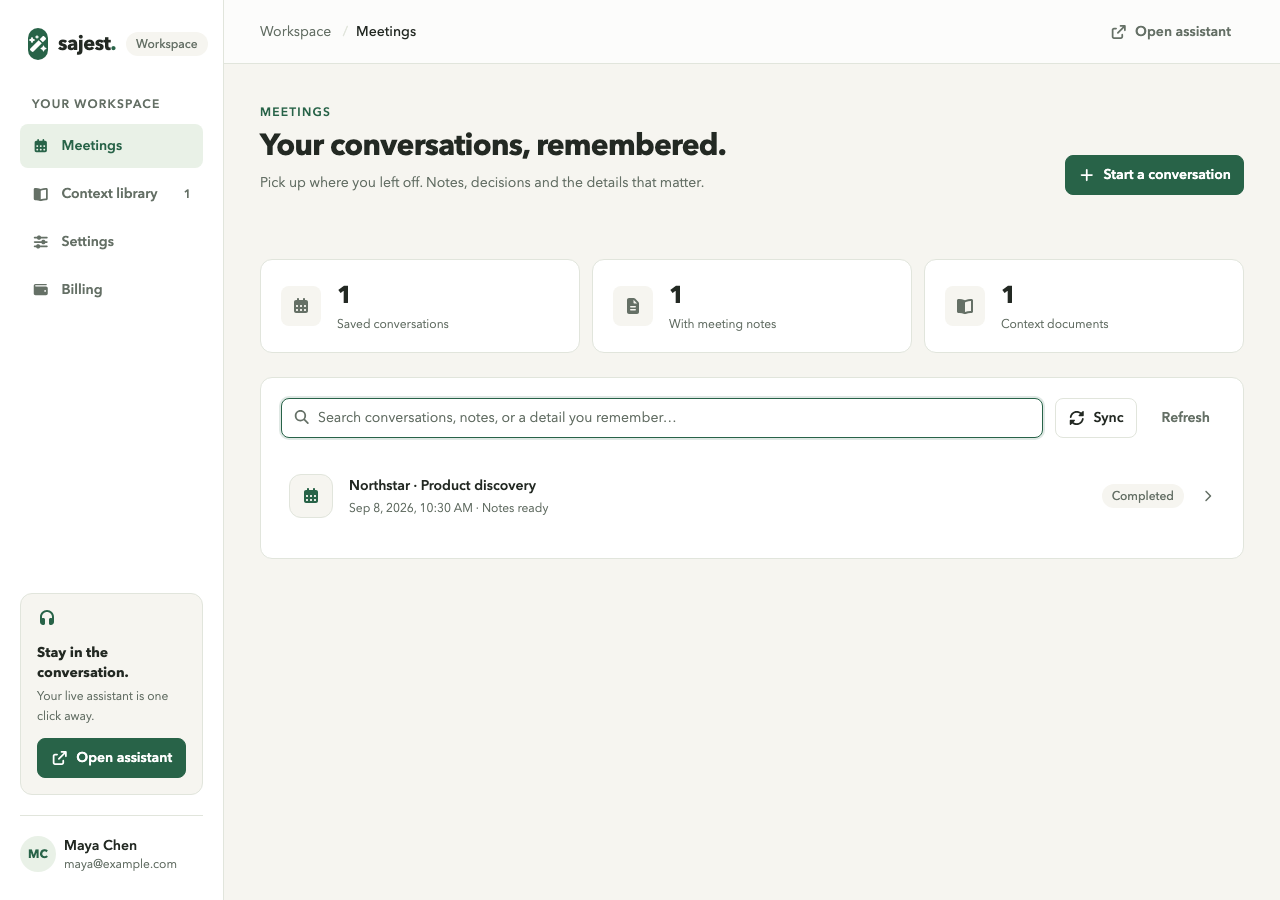
A useful recordReview the transcript, edit meeting notes and copy or export what matters.
Context you chooseBring PDF and text documents. Enable the relevant material for your questions.
Visible controlsPause listening, check permissions and manage your saved history.
Start free
Your first 60-minute session is free. After that, a monthly plan costs as little as $2.60 a session, or buy sessions once and use them whenever you need them.
Bring Sajest into a real 60-minute call or work session. Voice, screenshot, chat, custom context, and session history are all unlocked from the start.
The lowest price per session. Cancel anytime.
5 one-hour sessions every month
About one important call a week
$3.80 / session
15 one-hour sessions every month
An active job search or several client calls a week
$2.60 / session
Buy sessions once. They never expire.
One session · no commitment
$9.80 / session · save 18%
$7.90 / session · save 34%
Every session lasts up to 60 minutes. Monthly sessions reset each billing period; purchased packs never expire.
Cancel a plan anytime from the billing portal · Taxes and final price shown at checkout
Questions
Sajest is a real-time AI assistant for sales and client calls on Mac and Windows. It transcribes your call as it happens, uses the documents you choose (pricing sheets, product docs, case studies) and gives you a short answer you can say out loud when you press Enter. No bot joins the meeting, and it works alongside Zoom, Google Meet, Microsoft Teams, Webex and browser calls. The first 60-minute session is free with no credit card.
Sajest is built for work calls: sales, client discovery, demos and reviews. Its answers use the documents you choose, you decide when it answers, and every call is saved to a searchable workspace. Your first 60-minute session is free, monthly plans start at $19, and one-time packs never expire.
No. Sajest is a desktop app that captures your microphone and system audio on your own computer, so it doesn’t join the call as a participant. It works with Zoom, Google Meet, Microsoft Teams, Webex and calls in your browser.
You stay in control. The default flow lets you review or edit your spoken question, then press Enter or click Assist. You can also opt in to automatic answers for spoken questions. Pause listening at any time.
Your current conversation, your selected context documents, and an optional screenshot. Enable only the documents you want to include. Review AI answers before relying on them.
New accounts receive one complimentary 60-minute session. No credit card is required. After that, choose a monthly plan from $19/month, or buy sessions once from $12 with no subscription.
Live transcription needs an internet connection and sends captured audio to the transcription service. Sajest includes microphone and system-audio capture. Get any required consent before recording a conversation, and review the privacy policy for data handling.
Yes. Sajest is a desktop app for macOS 13 or later (Apple Silicon and Intel) and Windows 10 or 11 (64-bit). The download below picks the right build for your computer. Microphone and screen/audio permissions are required for the corresponding features.
The current app is built for individual use. Shared team accounts, calendar sync and CRM integrations are not available yet.
Your next call is on the calendar
Download Sajest, load your documents and use your first 60-minute session free. No credit card required.
Download & Start Free on macOS (Apple Silicon)